Over 97% of Identity Attacks Are Password Attacks. Where Are Your MFA Gaps?
Microsoft says over 97% of identity attacks are password attacks, and MFA stops most of them. Here is how to find where your Entra ID tenant doesn't enforce it: report-only policies, admin roles without MFA and legacy authentication.

Follow along live. Open this exact view in the read-only demo while you read. No sign-up needed.
Try It LiveOn this page
Microsoft's Digital Defense Report 2025 found that more than 97% of identity attacks are password attacks, such as password spray and brute force, and that identity-based attacks rose 32% in the first half of 2025. The same report says phishing-resistant MFA can stop over 99% of these password attacks. So the question isn't whether you have MFA. It's where you don't.
Admins ask a version of this on Microsoft Q&A in many forms, from listing which users have MFA enabled to an MFA policy that doesn't prompt some of the users it should cover. A tenant can look protected and still let a password alone through.
Why the built-in tools make this hard
Entra ID gives you the controls, but finding the gaps between them is harder than it should be:
- Mandatory MFA stops at the admin tools. Microsoft now requires MFA to sign in to the Azure portal and the Entra and Intune admin centres, and for changes made through Azure's command-line tools and APIs. It doesn't cover other apps, so a user signing in to email or files is protected only by the policies you set up yourself.
- A report-only policy protects nobody. It is evaluated and logged, but nobody is asked for MFA. In the policy list it looks like any other policy, and one left in report-only mode "for testing" can stay that way for months.
- There's no single list of who is unprotected. The What If tool tests one sign-in, for one user and one app, at a time. The registration report shows who has set up an MFA method, not which sign-ins actually require it, and it needs a P1 or P2 licence.
- Legacy authentication can't do MFA. Older protocols such as IMAP, POP3 and SMTP AUTH only take a password, and Microsoft's own analysis found that more than 99% of password spray attacks use legacy authentication. Unless a policy blocks it, it is a way round MFA.
- Security defaults are all or nothing. They are free, but they can't be adjusted. To write your own policies you need Entra ID P1 and you have to switch security defaults off, and if the new policies are still in report-only mode, the tenant is left with neither.
- Nobody is told when a policy changes. Switching a policy to report-only, turning it off or adding an exclusion is logged as an update, but the Entra audit log keeps 7 days on the free tier and 30 days with P1 or P2, and nothing notifies you unless you build the alert yourself.
Active Identity Guardian reads your Conditional Access policies and tenant settings, checks them against a set of MFA and Conditional Access rules, and keeps every policy change in its audit trail for as long as you choose. Here is how it looks in the demo.
Find the gaps
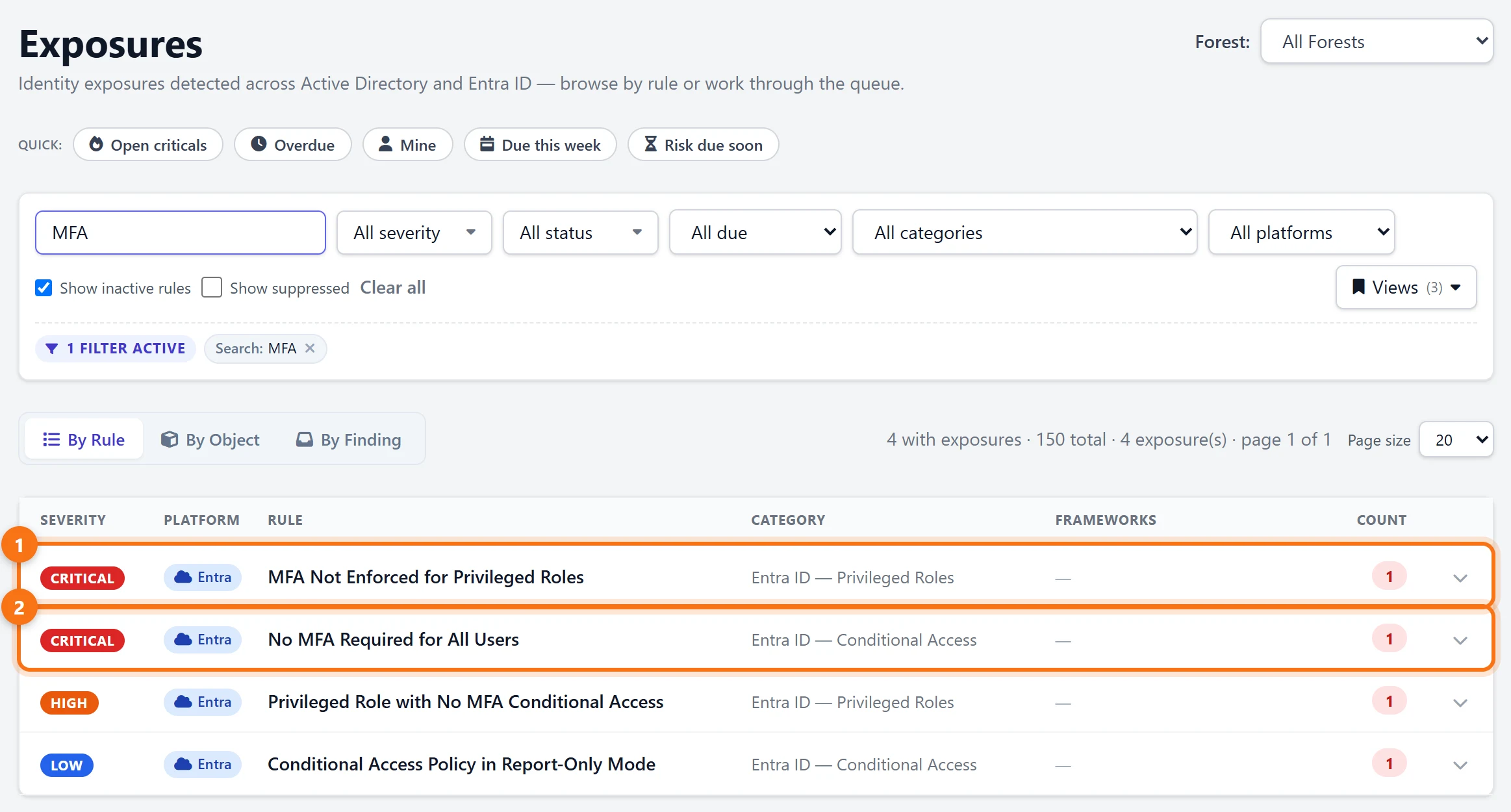
1Search Exposures for MFA
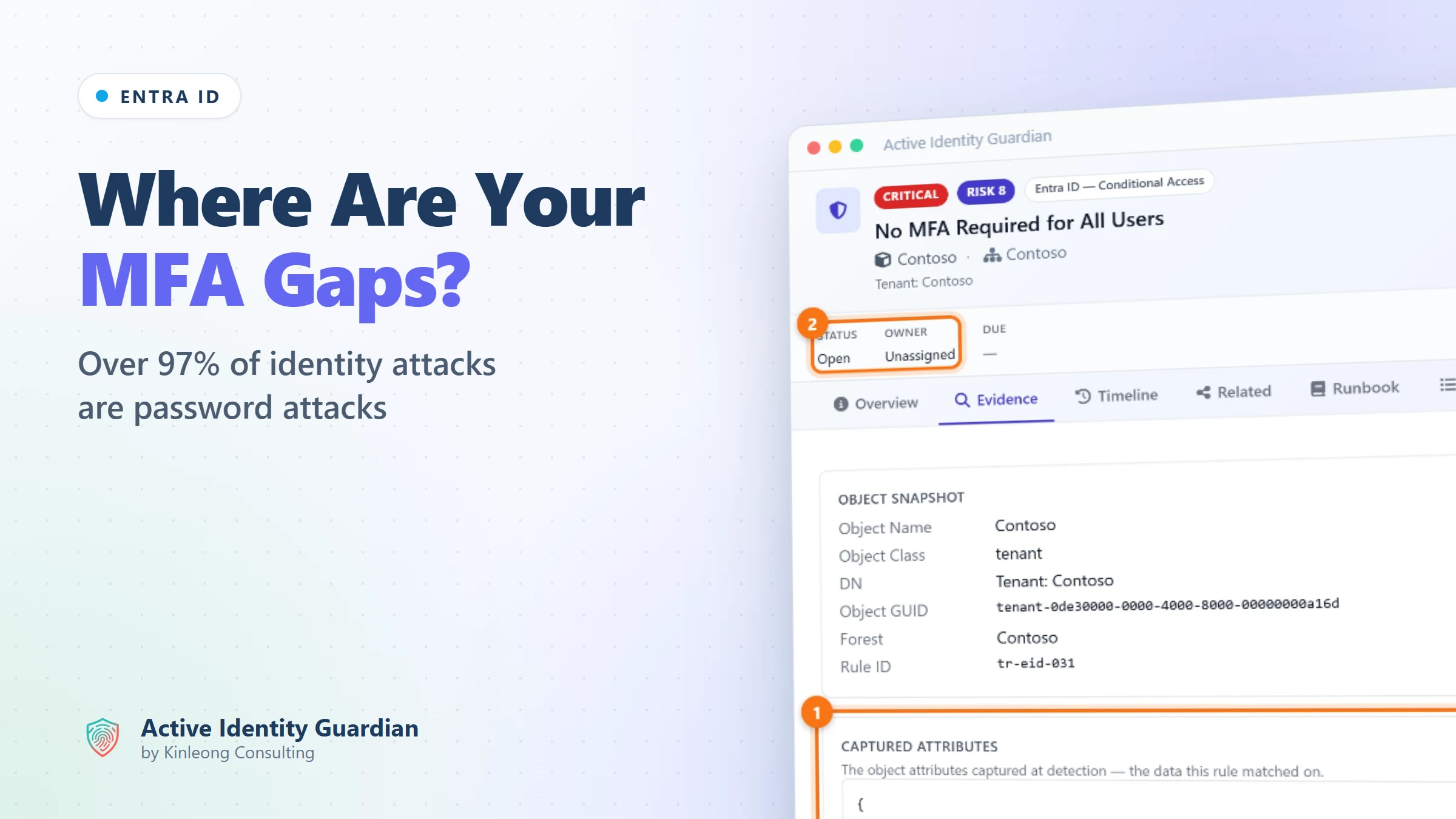
In Exposures, search for MFA. Every MFA check with something to report is listed together. In the demo's Contoso tenant, no policy that is switched on requires MFA for admin roles or for all users, and the administrators' MFA policy turns up under the report-only rule.
2Open the tenant-wide gap
Expand No MFA Required for All Users and open the finding. The Evidence tab shows what the rule matched on: no Conditional Access policy requires MFA for all users on all cloud apps. Only a policy that is switched on counts. One in report-only mode, or one that covers only some users or some apps, leaves the gap open.
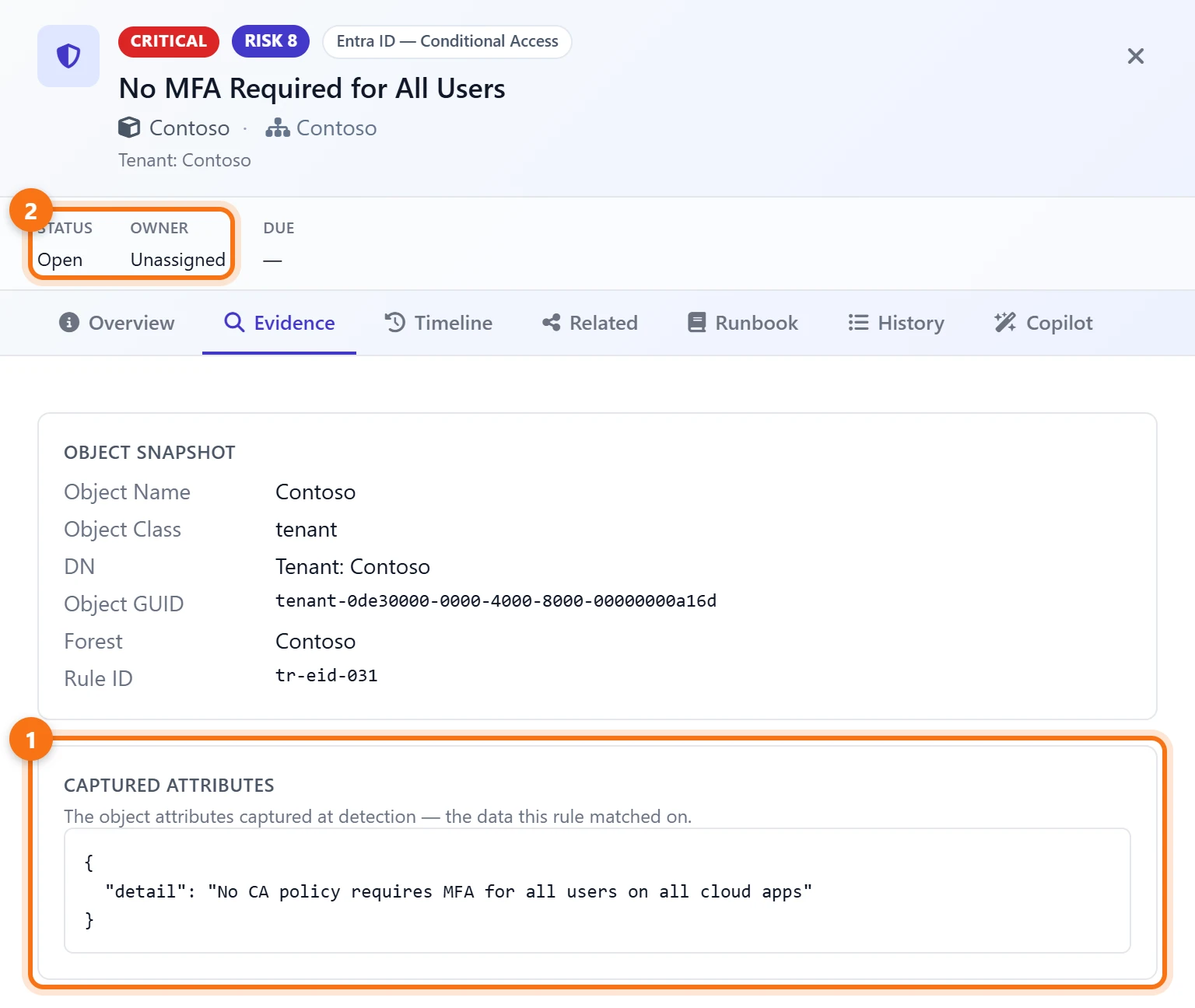
The finding is critical and unassigned, so the first step is to give it an owner.
Find the policies that enforce nothing
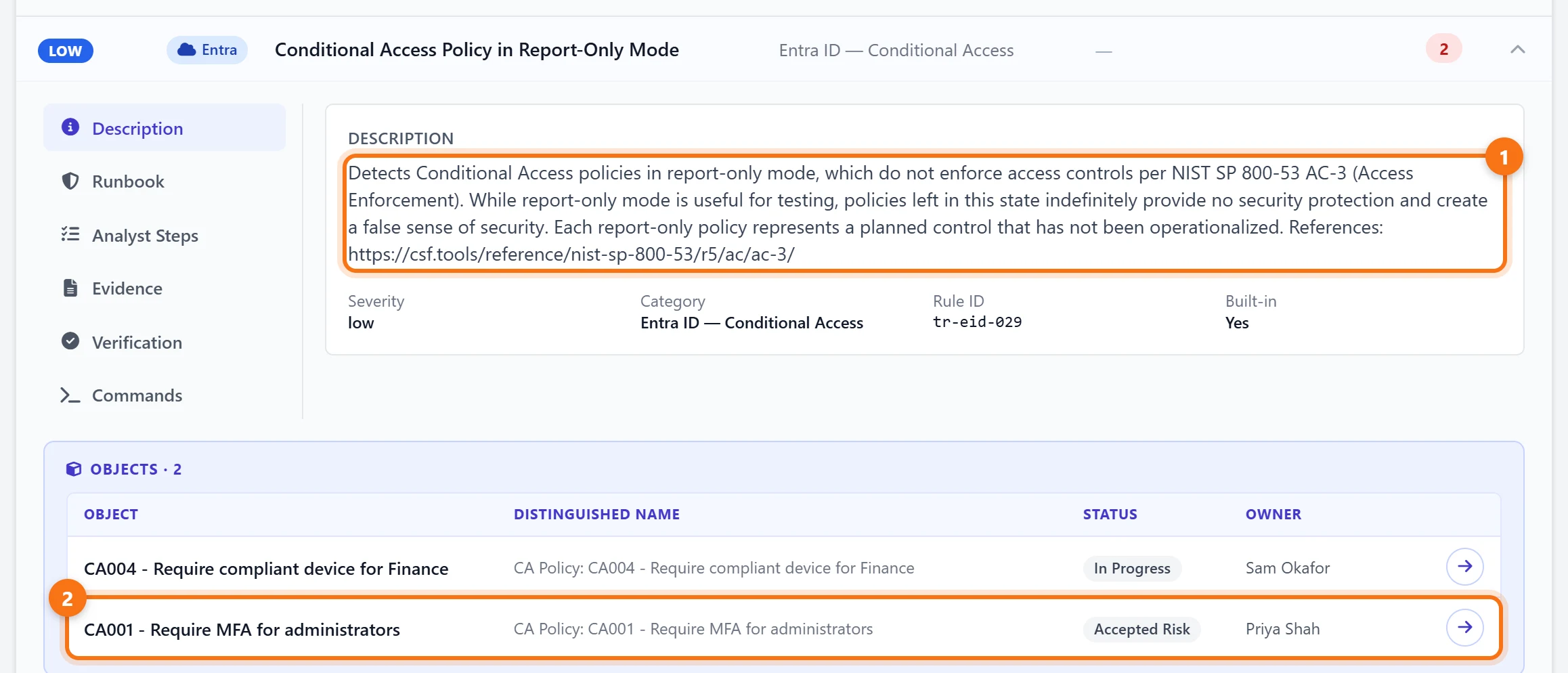
3Check for report-only policies
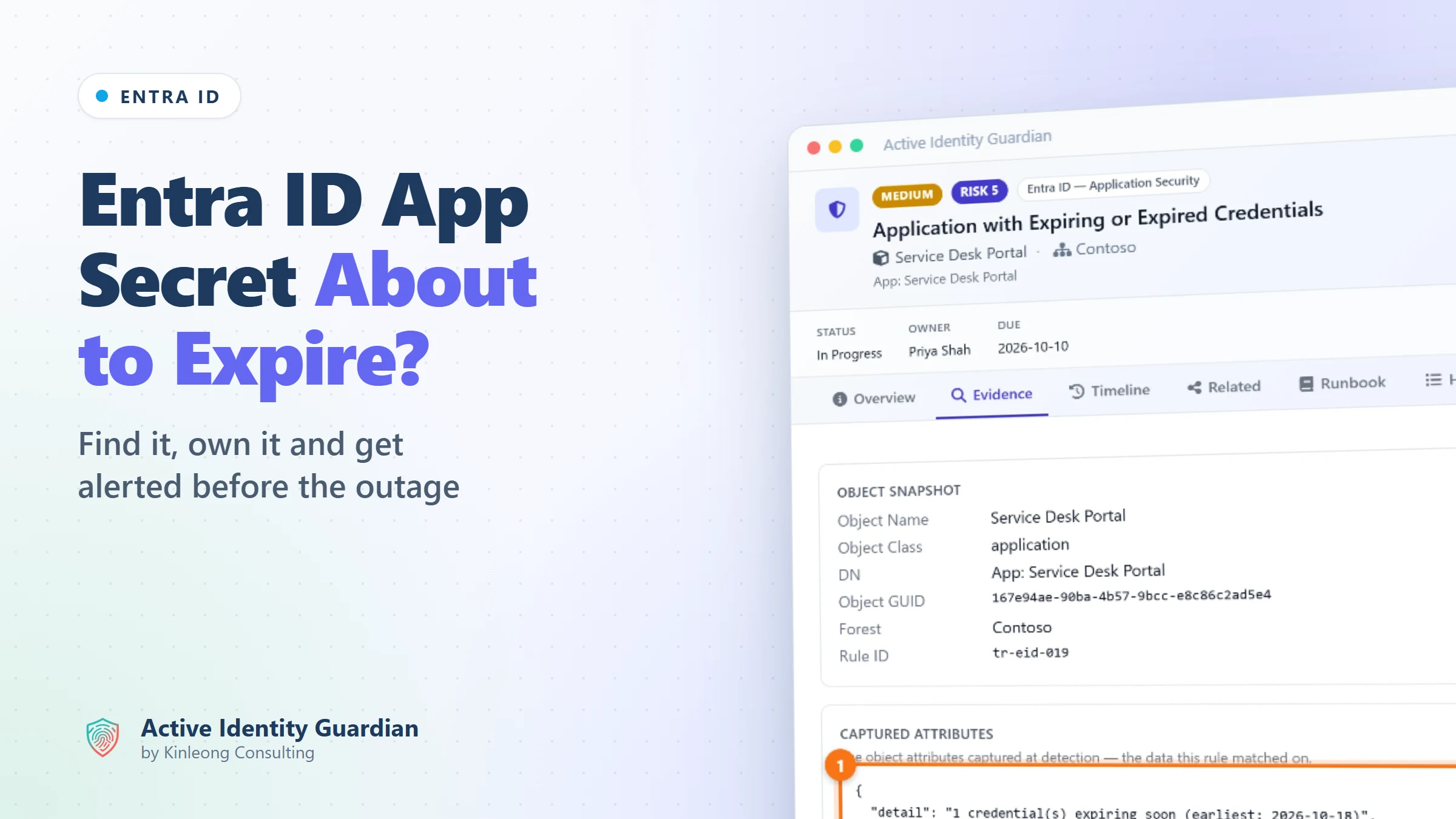
Expand Conditional Access Policy in Report-Only Mode. It lists every policy that is evaluated and logged but not enforced. The demo has two: a compliant-device policy for Finance, which Sam Okafor is working on, and CA001 - Require MFA for administrators, the policy that should be protecting every admin account.
4See who decided to leave it that way
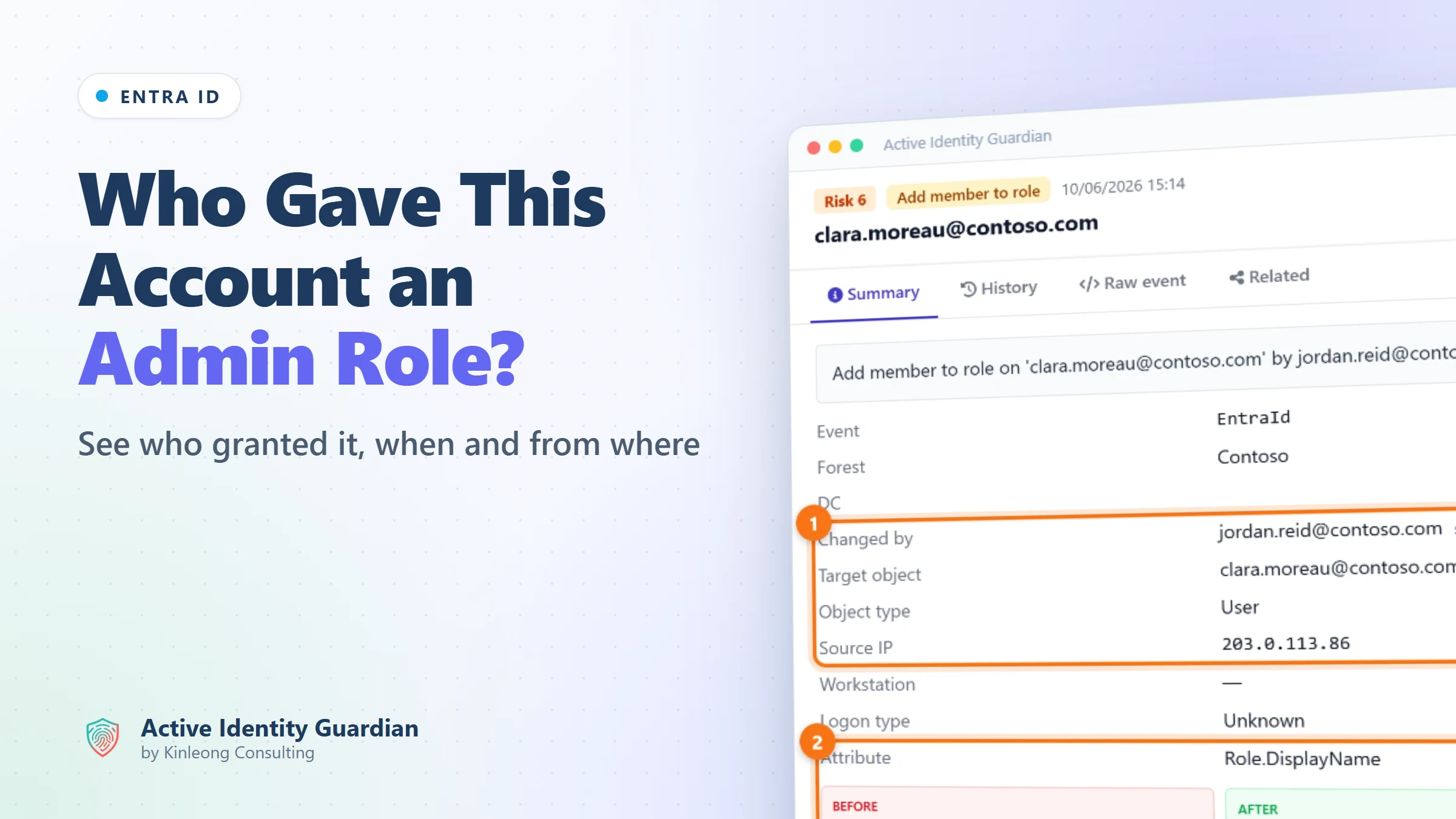
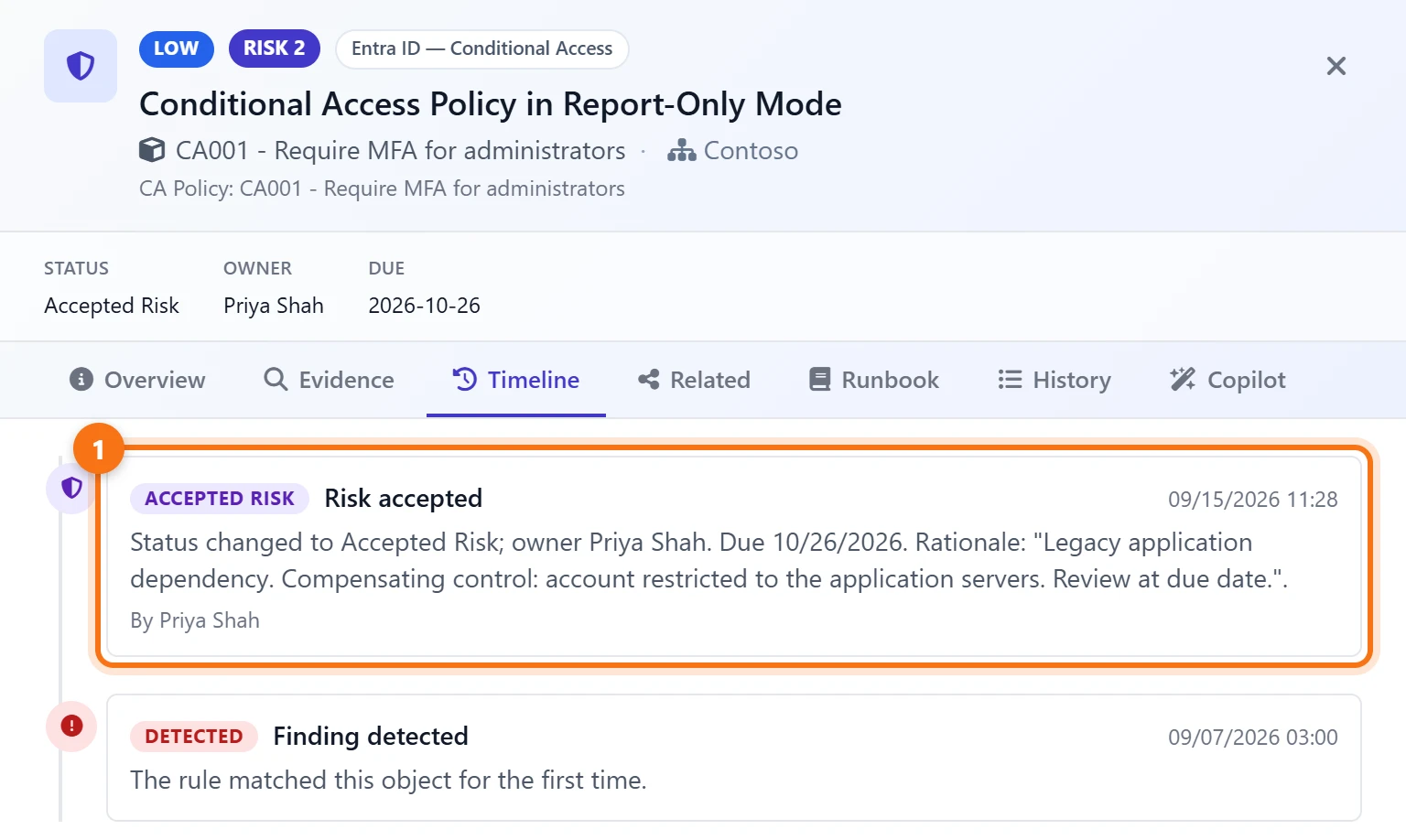
Open the CA001 finding and go to Timeline. Priya Shah has recorded it as an accepted risk, with a rationale and a date to review it. An MFA gap left open on purpose becomes a decision with a name and a date on it, not a setting nobody remembers, and the Risk due soon filter in Exposures brings it back as the review date approaches.
5Check the tenant settings
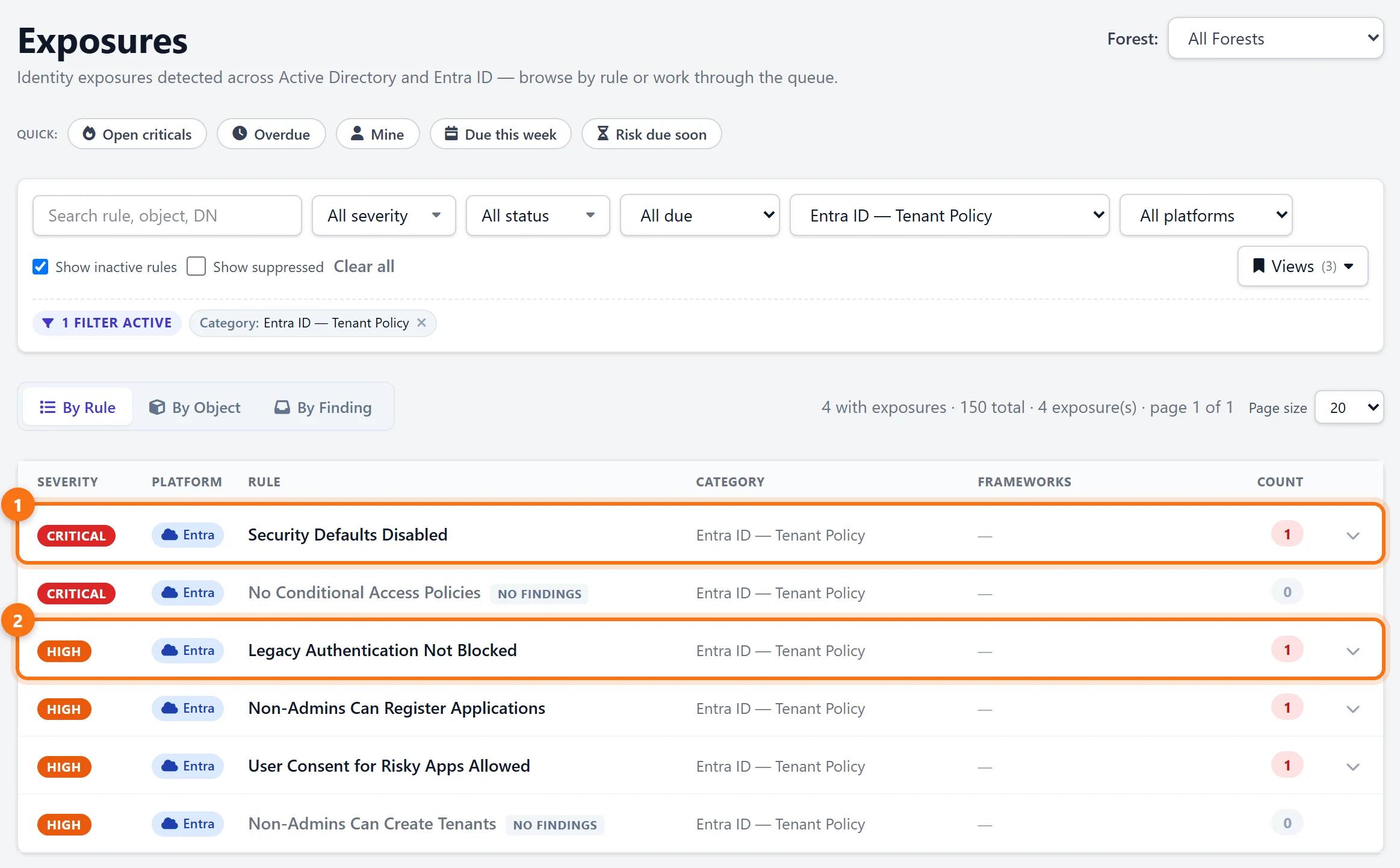
Filter Exposures by the Entra ID — Tenant Policy category. In the demo, security defaults are off and no policy that is switched on takes their place, and no policy blocks legacy authentication, so the protocols that can't do MFA are still open. Checks with nothing to report are marked No findings.
Watch the policies
6See who changes Conditional Access
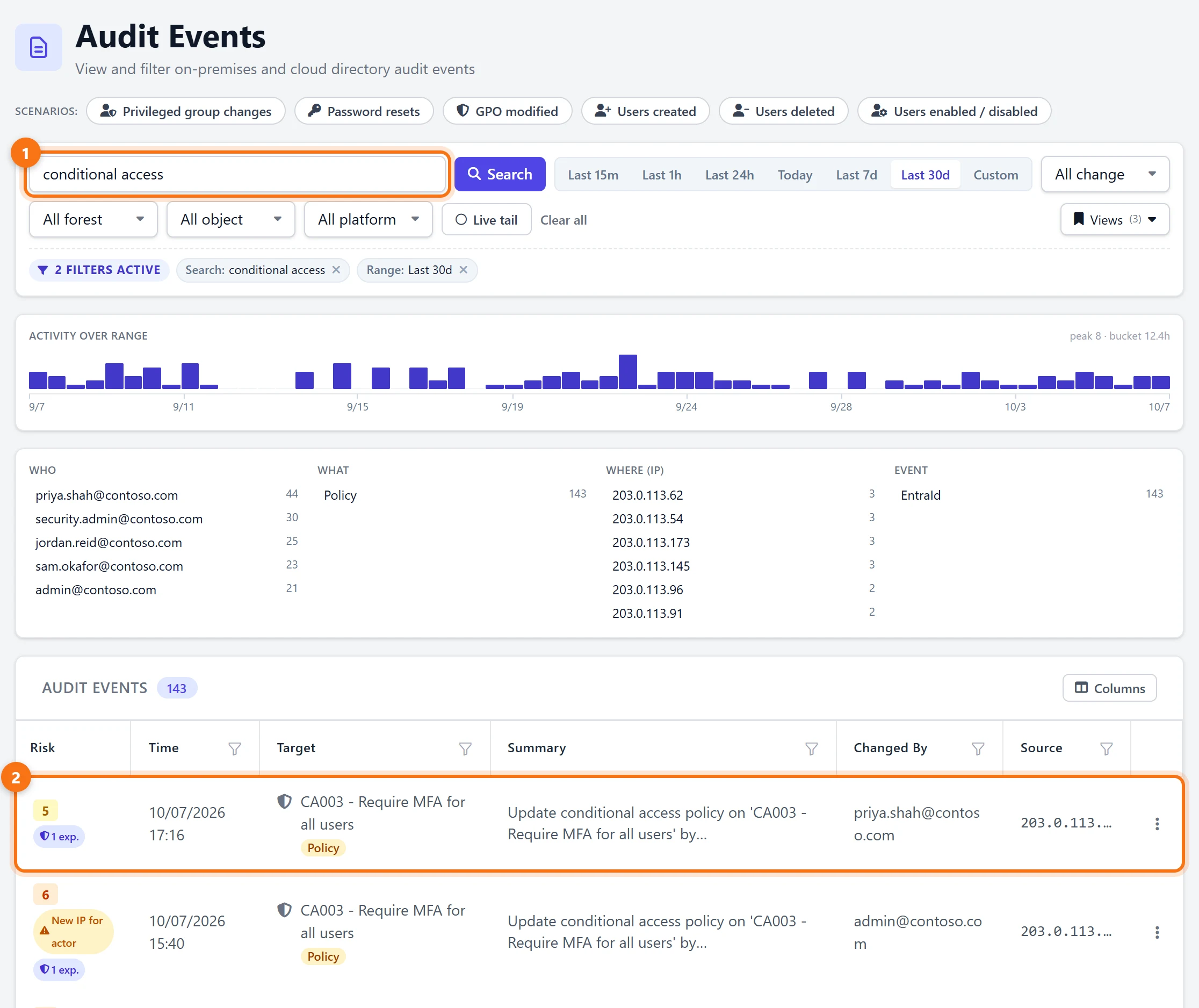
A policy that is right today can be switched to report-only tomorrow. In Audit Events, search for conditional access. The demo shows 143 policy changes in the last 30 days, the accounts that made them and the IP addresses they came from. The newest is an edit to CA003 - Require MFA for all users by priya.shah@contoso.com, and the one before it, by admin@contoso.com, is flagged New IP for actor.
7Send new MFA findings to email or Teams
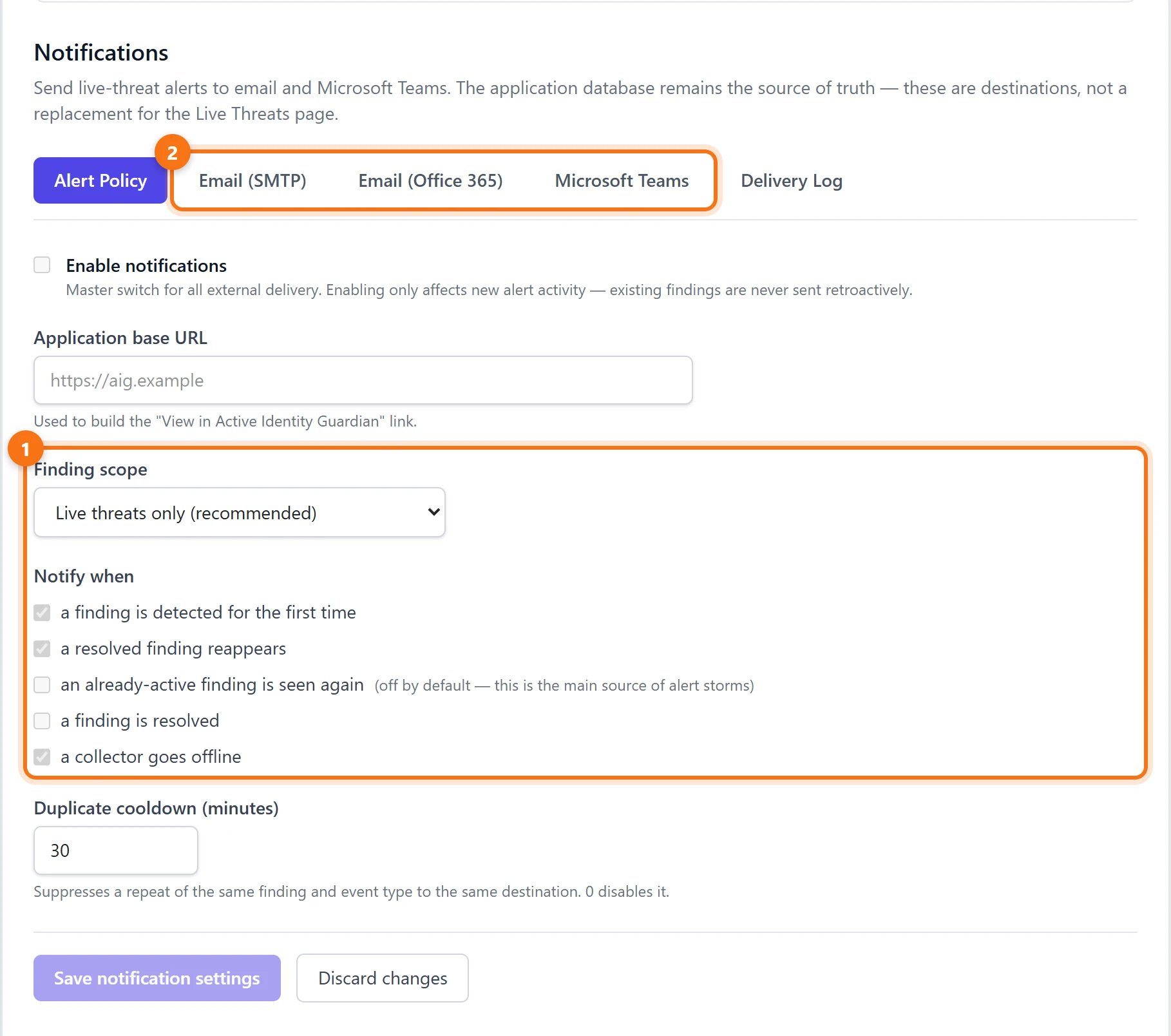
Under Settings > Notifications, set the finding scope to All findings. MFA gaps are exposures rather than live threats, so the scope has to include them. Keep a finding is detected for the first time and a resolved finding reappears ticked, so a gap that was closed and then reopened, such as a policy switched back to report-only, is sent again.
What to do next
- Require MFA for everyone, on every app. One policy, switched on, for all users and all cloud apps, with as few exclusions as possible.
- Give admins phishing-resistant MFA. Passkeys and certificate-based authentication can't be phished the way a code or a push approval can.
- Set a deadline for report-only. Test a new policy in report-only mode for a fixed period, then switch it on or delete it.
- Block legacy authentication. It can't do MFA, so block it, and move anything that still depends on it to modern authentication.
- Give every exclusion an owner. Each excluded user or group is a gap in the policy. Record who approved it and when it will be reviewed.
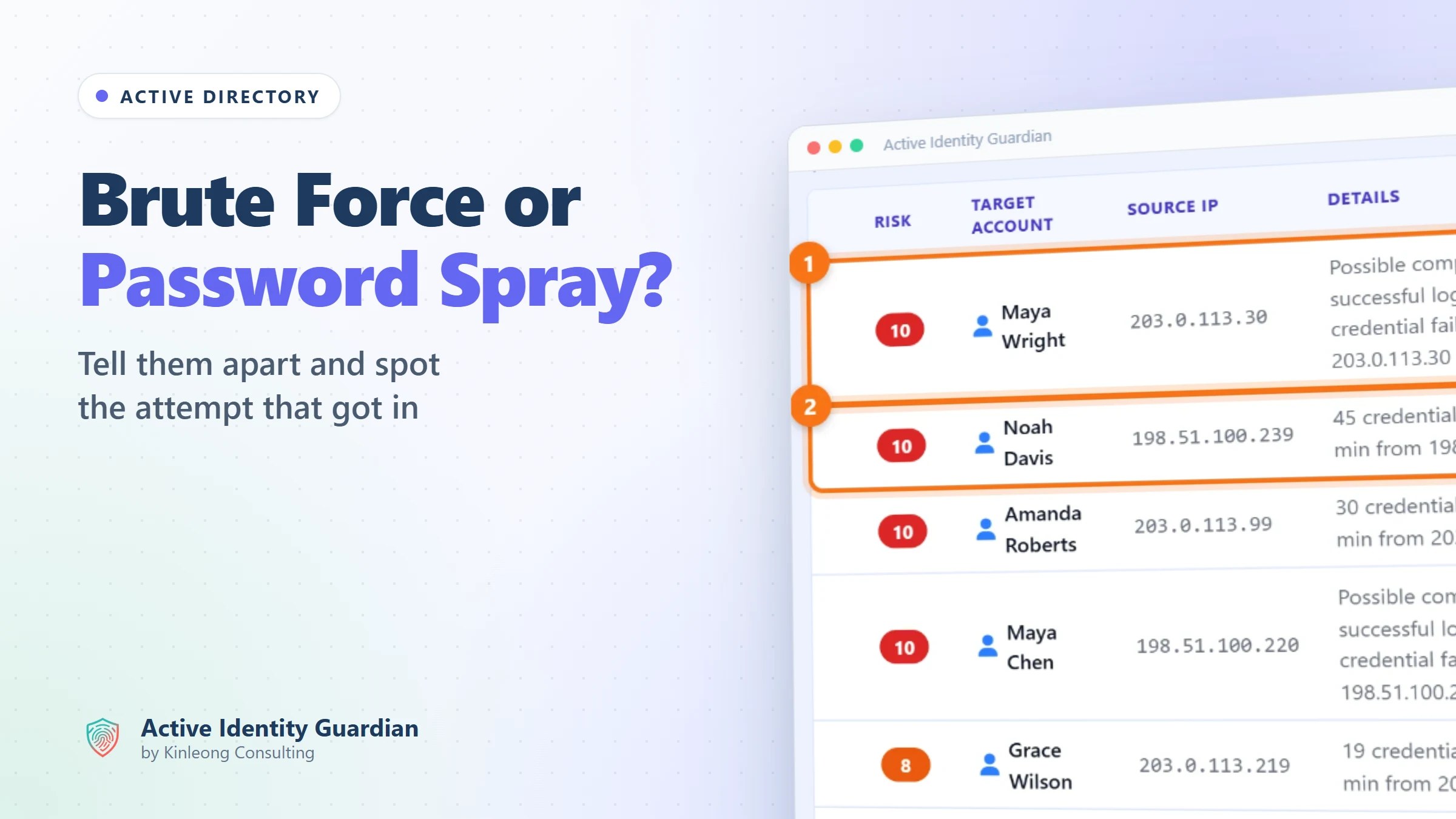
Password attacks don't stop at the cloud. For password spray and brute force against on-premises Active Directory, see Brute force or password spray?
Summary
- More than 97% of identity attacks are password attacks, and MFA stops most of them, but mandatory MFA covers only Microsoft's admin tools, and report-only policies, legacy authentication and admin roles without a policy leave gaps that are hard to see from the portal.
- Active Identity Guardian checks your Conditional Access policies and tenant settings for MFA gaps, each with an owner and a status, and records accepted risks with a reason and a review date.
- Every Conditional Access change is kept in the audit trail with who made it and from where, and new findings can be sent to email or Microsoft Teams.
Try it yourself
Everything above comes from the Active Identity Guardian demo, which runs on synthetic data and is read-only. Open the same view and click through it, with no sign-up.
Written by