Brute Force or Password Spray? How to Tell from Thousands of Failed Logons
The Security logs fill with failed logons and accounts start locking out. Here is how to tell a brute-force attack from a password spray, see where it came from, and spot the attempt that got in.

Follow along live. Open this exact view in the read-only demo while you read. No sign-up needed.
Try It LiveOn this page
Monday, 08:15. The service desk has a queue of locked-out users, and the domain controllers' Security logs are full of failed logons. Is someone guessing one person's password, trying one common password against every account, or is a service still using an old password? And the question that matters most: did any of it work?
Admins ask this on Microsoft Q&A all the time, from a server flooded with failed logon events to finding the real source of a brute-force attack. The two attacks need different responses. A brute-force attack hammers one account with many passwords. A password spray tries one or two common passwords against many accounts, slowly enough that none of them locks out.
Why the built-in tools make this hard
Every failed logon is in a log somewhere. Turning thousands of them into an answer is the hard part:
- The failures are spread across machines. A failed logon is recorded on the computer where it was attempted, and a failed check of a domain account's password on whichever domain controller handled it. Lockouts are processed on the PDC emulator, so that is another log to search.
- Failure auditing isn't on by default. Out of the box, domain controllers don't record failed credential checks. Whatever tool you use, failure auditing has to be switched on first.
- The source is often missing. A failed NTLM check names a workstation but no IP address, and the lockout event gives a computer name, never an IP address.
- A spray hides below the lockout threshold. Each account sees only one or two wrong passwords, so nothing locks out. Lockouts tell you about brute force and nothing about the spray.
- The attempt that got in looks normal. A successful logon after 30 failures is just another successful logon, and nothing in the log links it to the failures before it.
- Telling them apart is manual work. Each event is one failure for one account. Seeing that one IP address failed against 24 accounts, or that one account failed 45 times in six minutes, means collecting and counting thousands of events yourself.
- Nobody is told. Windows doesn't raise an alert for either pattern, so the first sign is often the queue of locked-out users.
Active Identity Guardian collects the failures from all your domain controllers in one place, groups them by account and by source, and tells the two patterns apart. In the demo, it caught both kinds of attack today.
See both attacks, told apart
1Open Live Threats
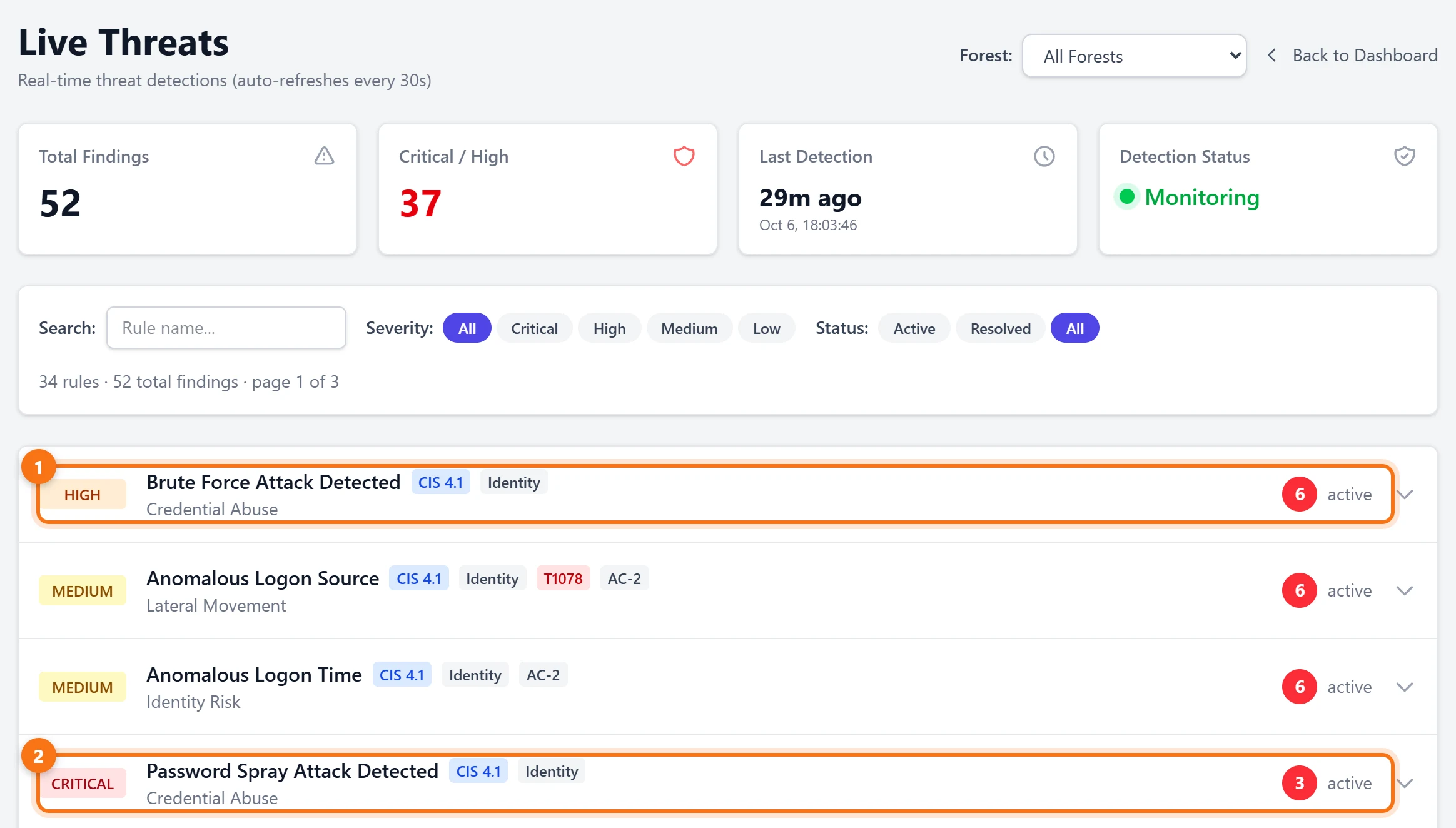
Open Live Threats. Credential attacks are listed with everything else the detectors have found, each with a severity and a count of active findings. Here there are six brute-force detections and three password sprays.
2Look at the password spray
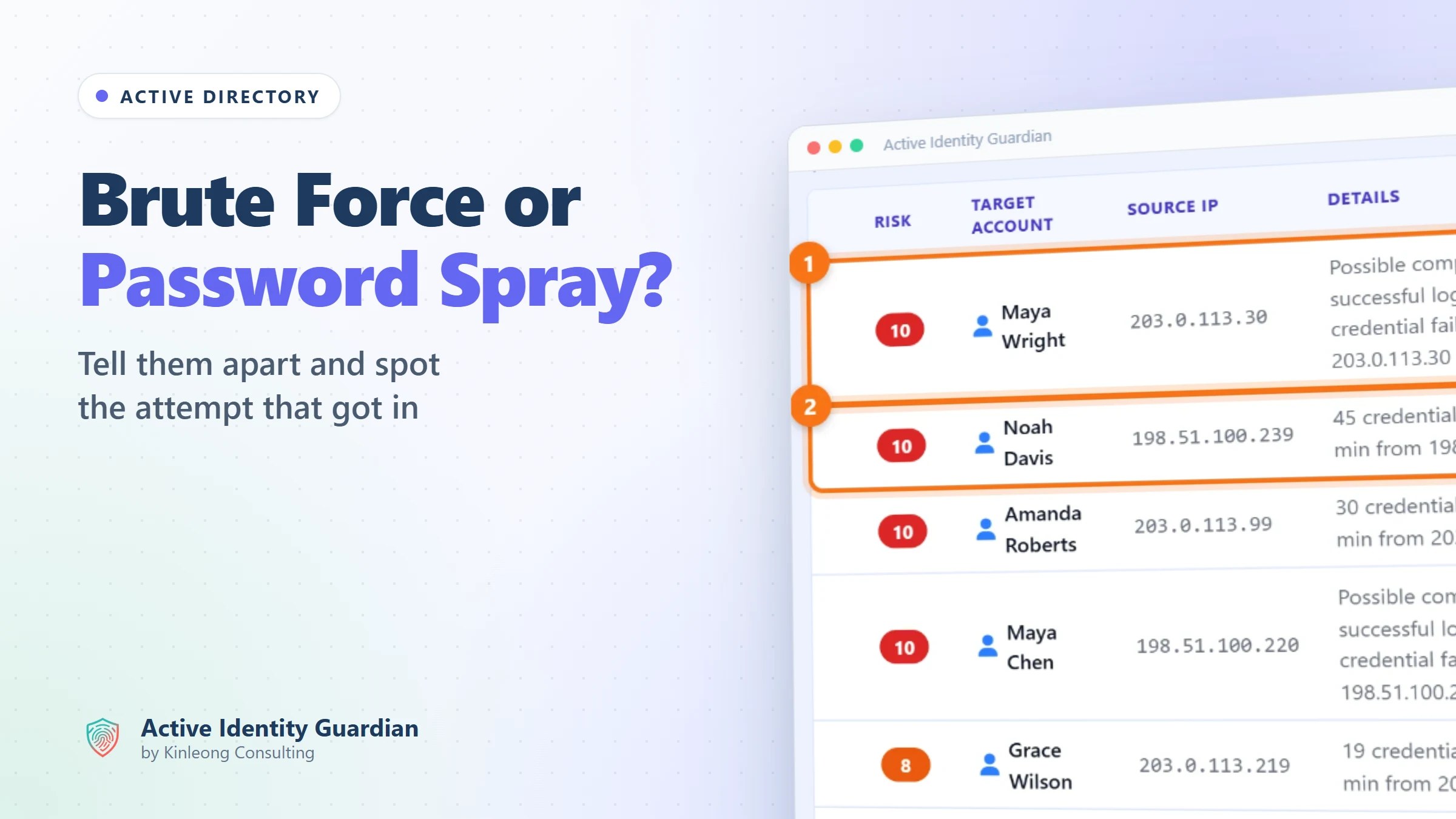
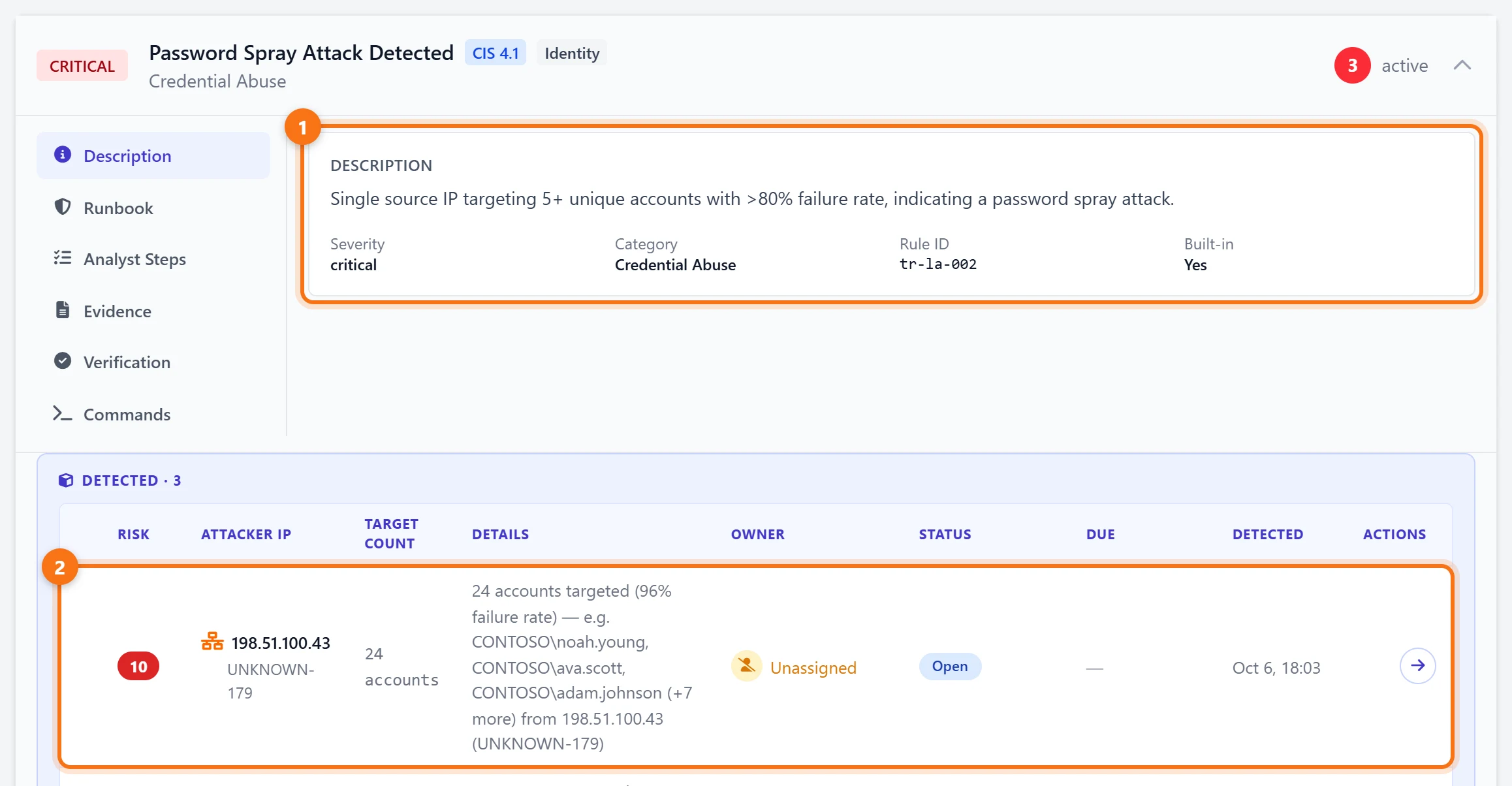
Expand Password Spray Attack Detected. The rule looks for a single source IP address failing against five or more different accounts, with more than 80% of its attempts failing. Today's spray came from 198.51.100.43 and targeted 24 accounts, with a 96% failure rate. The finding lists examples of the accounts it tried.
3Find the brute force that got in
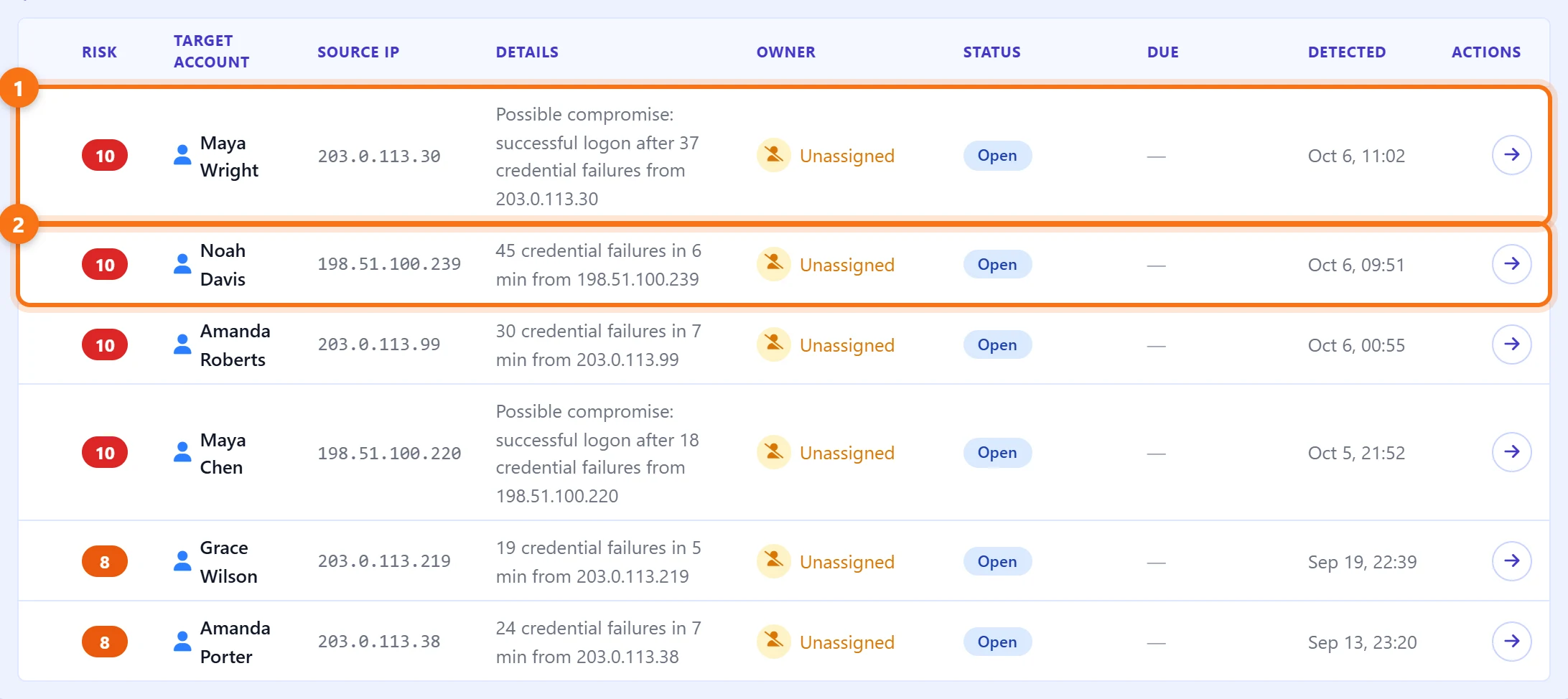
Expand Brute Force Attack Detected. Each detection is one account under attack from one source. Most are failures only, such as 45 failed attempts in six minutes against Noah Davis from 198.51.100.239. Two are worse. This morning, a successful logon for Maya Wright followed 37 credential failures from 203.0.113.30, so the detection is flagged as a possible compromise.
4Open the finding
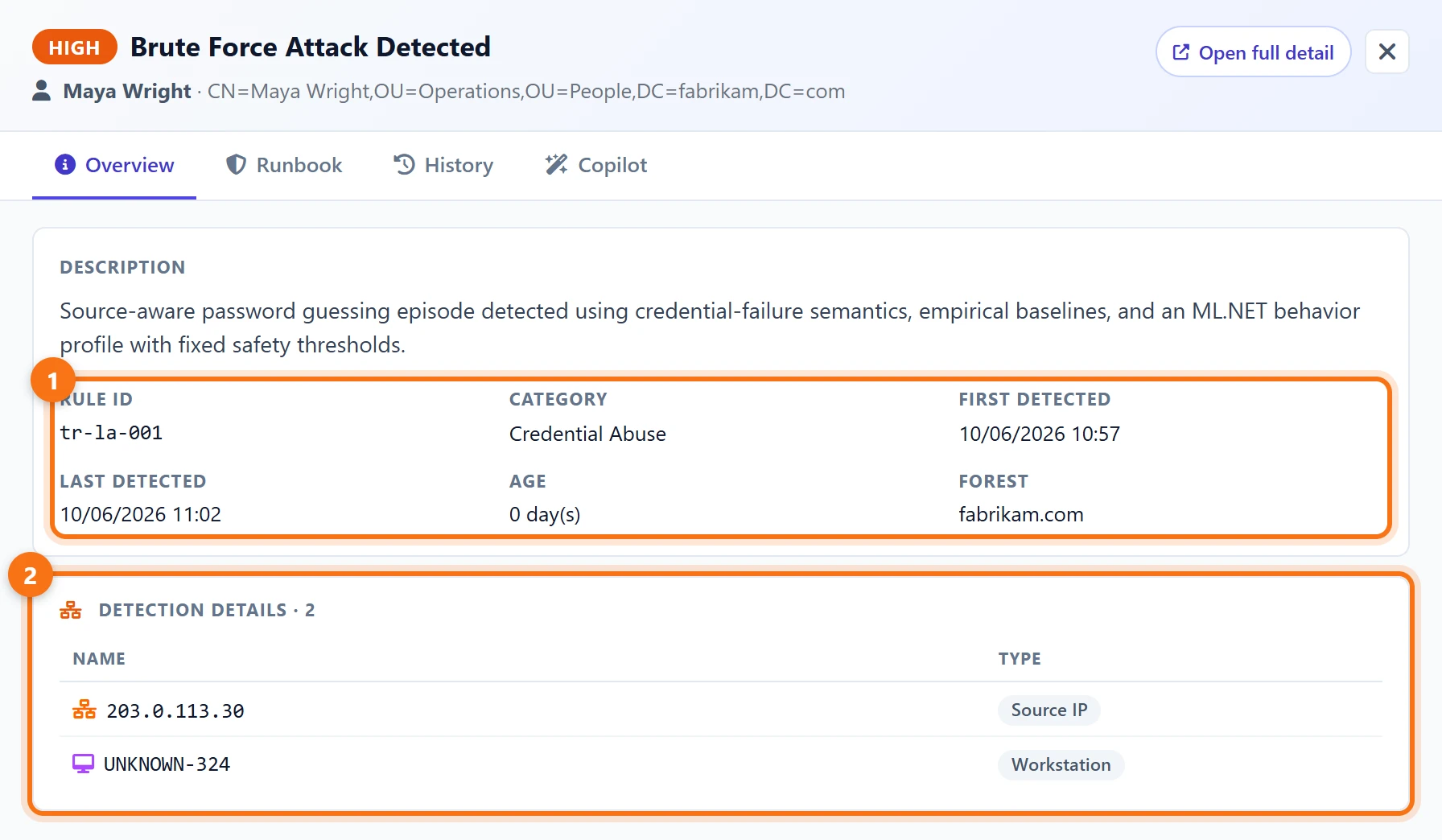
Click the detection to see when the attack ran and where it came from: first detected at 10:57 and last at 11:02, from the IP address 203.0.113.30 and a workstation called UNKNOWN-324. Open full detail takes you to the finding itself, where it gets an owner, a status and a due date like any other exposure.
Get alerted while it is happening
5Send live threats to email or Teams
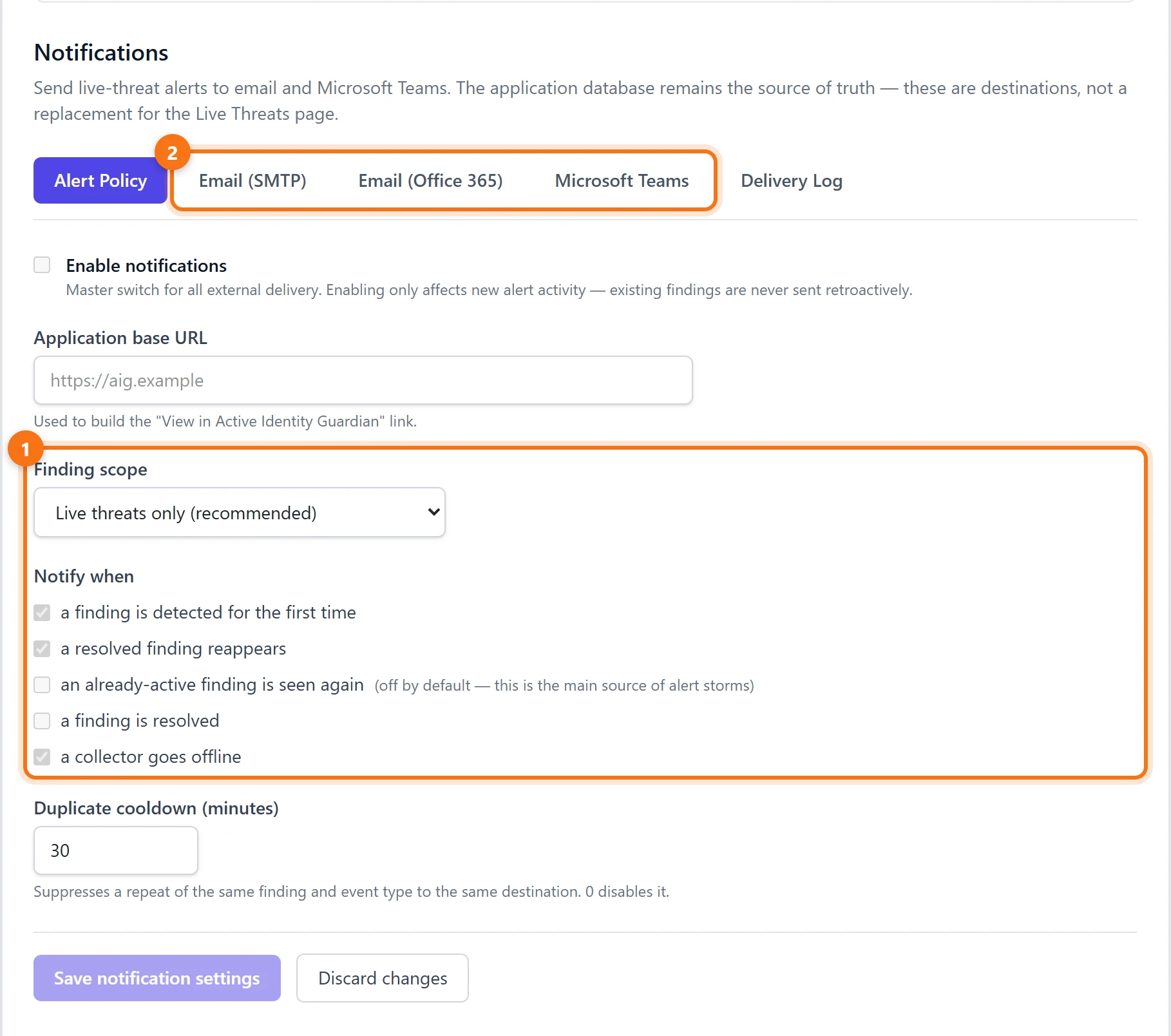
Under Settings > Notifications, live threats can be sent to email (SMTP or Office 365) and Microsoft Teams. Brute-force and password-spray detections are live threats, which is the default finding scope, so the team hears about a spray or a possible compromise when it is detected, not when the service desk queue fills up.
What to do next
- Deal with possible compromises first. If a logon succeeded after the failures, treat the account as compromised: reset its password and review what it did after it got in.
- Stop the source. An outside IP address can be blocked at the edge. An internal workstation needs checking for malware or a misconfigured service.
- Check the sprayed accounts. Look for successful logons from the spray's source, and make sure those accounts don't use common or reused passwords.
- Rule out the boring explanation. A service or scheduled task still using an old password produces a steady stream of failures from one machine. Update the credential and the noise stops.
Summary
- Windows records failed logons one at a time, spread across domain controllers and often without an IP address, and nothing tells a password spray from a brute-force attack.
- Active Identity Guardian groups the failures by account and by source and raises brute force and password spray as separate live threats, with the source and a flag when a logon succeeded after the failures.
- Live threats are the default notification scope, so they reach email or Microsoft Teams as soon as notifications are set up.
Try it yourself
Everything above comes from the Active Identity Guardian demo, which runs on synthetic data and is read-only. Open the same view and click through it, with no sign-up.
Written by