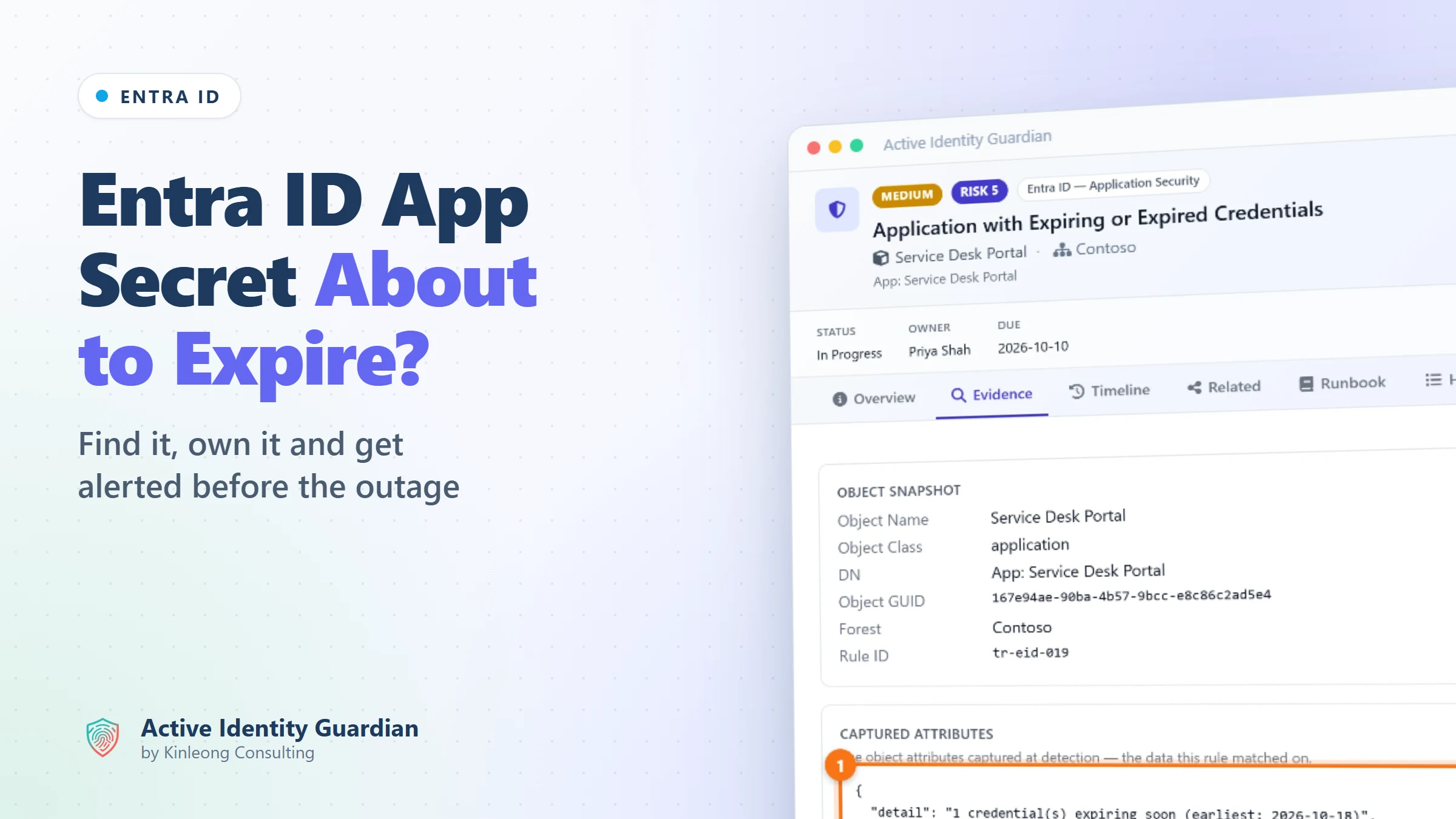
How to Get Alerted Before an Entra ID App Secret Expires
A client secret expired at the weekend and an integration stopped working. Here is how to see every expiring secret and certificate in advance, give each one an owner, and get alerted in time.

Follow along live. Open this exact view in the read-only demo while you read. No sign-up needed.
Try It LiveOn this page
On Monday morning the service desk portal stops syncing users. Nobody changed anything over the weekend, and the only clue in the logs is that the app can no longer authenticate. The cause: the client secret on its Microsoft Entra ID app registration quietly expired on Saturday.
Client secrets and certificates are how applications prove who they are to Entra ID, and every one of them has an end date. How to be warned in time is a question admins keep asking, for example on Microsoft Q&A about alerts for app registration client secrets and alerting when application registration secrets are about to expire. Too often, the first warning is the outage itself.
Why the built-in tools make this hard
Entra ID shows a credential's expiry date on each app registration, but staying ahead of every expiry across the tenant is harder:
- The built-in warning is still in preview. Microsoft's Renew expiring application credentials recommendation is a preview feature that works to a fixed 30-day window, and Microsoft's documentation lists a Workload ID licence for it.
- The email goes to a role, not to the app's owner. Recommendation emails, also in preview, go to people with the Application Administrator role. If you use Privileged Identity Management, nobody receives one unless someone has that role active at the time.
- It isn't immediate. Recommendations are worked out once a day, and Microsoft notes the data can take up to 72 hours to sync.
- Anything more is a script you have to maintain. A different warning period, a message to the person who owns the app, or a ticket in your service desk means building and looking after your own automation, which is where most forum answers end up.
- The record of who changed a secret fades quickly. Entra ID keeps audit log entries for 7 days on the free tier and 30 days with P1 or P2, and upgrading your licence doesn't bring back older entries.
- Nobody owns the fix. The portal shows when a secret expires, but not who is rotating it, by when, or whether the risk has been accepted.
Active Identity Guardian checks your Entra ID applications as part of its regular evaluation, raises an exposure for every app whose secret or certificate has expired or is about to, and keeps its own record of every credential change. Here is how it looks in the demo.
Find every app with an expiring secret or certificate
1Open the expiring credentials rule
In Exposures, search for Expiring or Expired and expand Application with Expiring or Expired Credentials. The rule covers client secrets and certificates that have expired or will expire within 30 days, and lists every affected app with its status and owner.
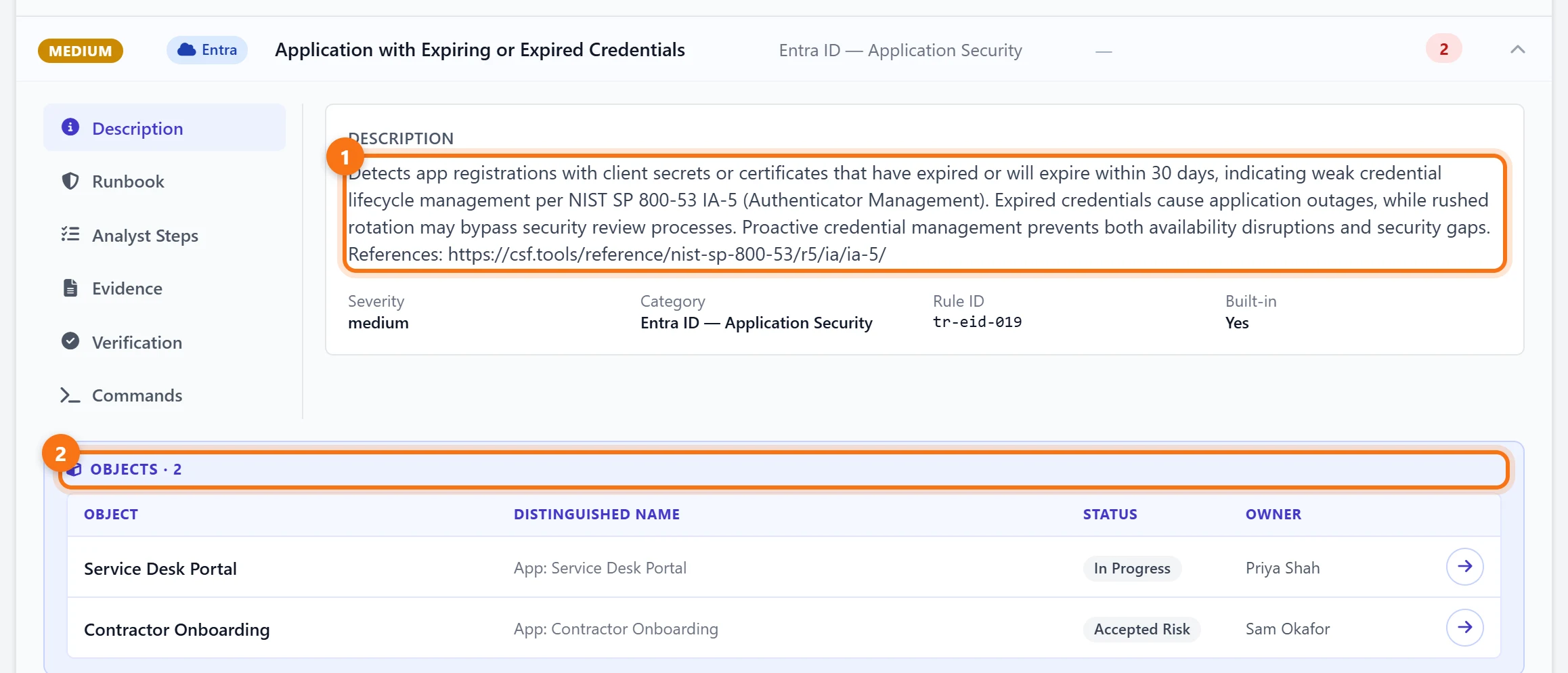
In the demo, two apps are flagged. The Service Desk Portal is being worked on by Priya Shah. For Contractor Onboarding, Sam Okafor has recorded an accepted risk, so the decision is documented rather than forgotten.
2See exactly what is expiring
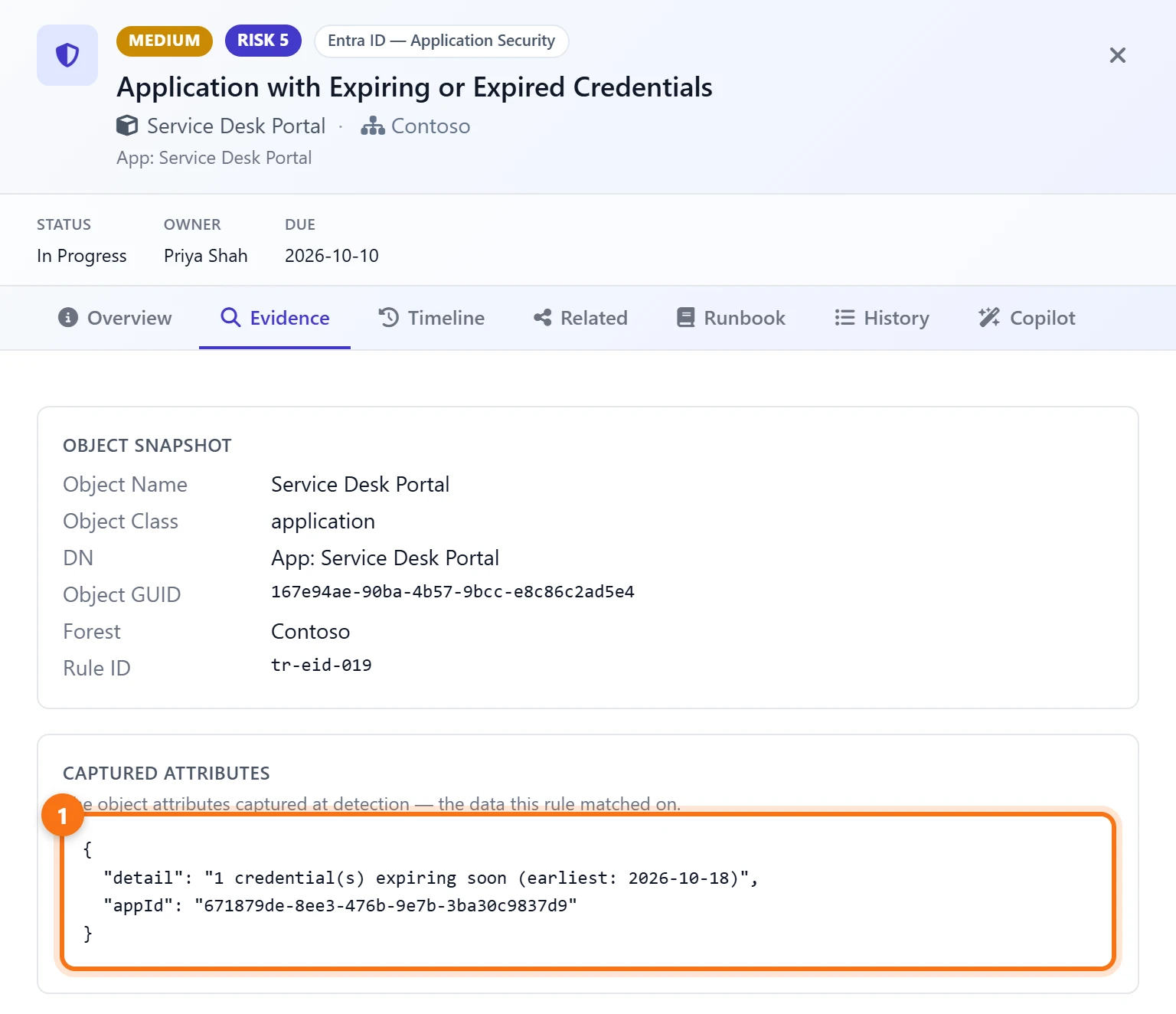
Open the finding and choose Evidence. It shows how many credentials are affected, the earliest expiry date and the application ID, which takes you straight to the right app registration.
Make sure someone fixes it in time
3Assign it and track it
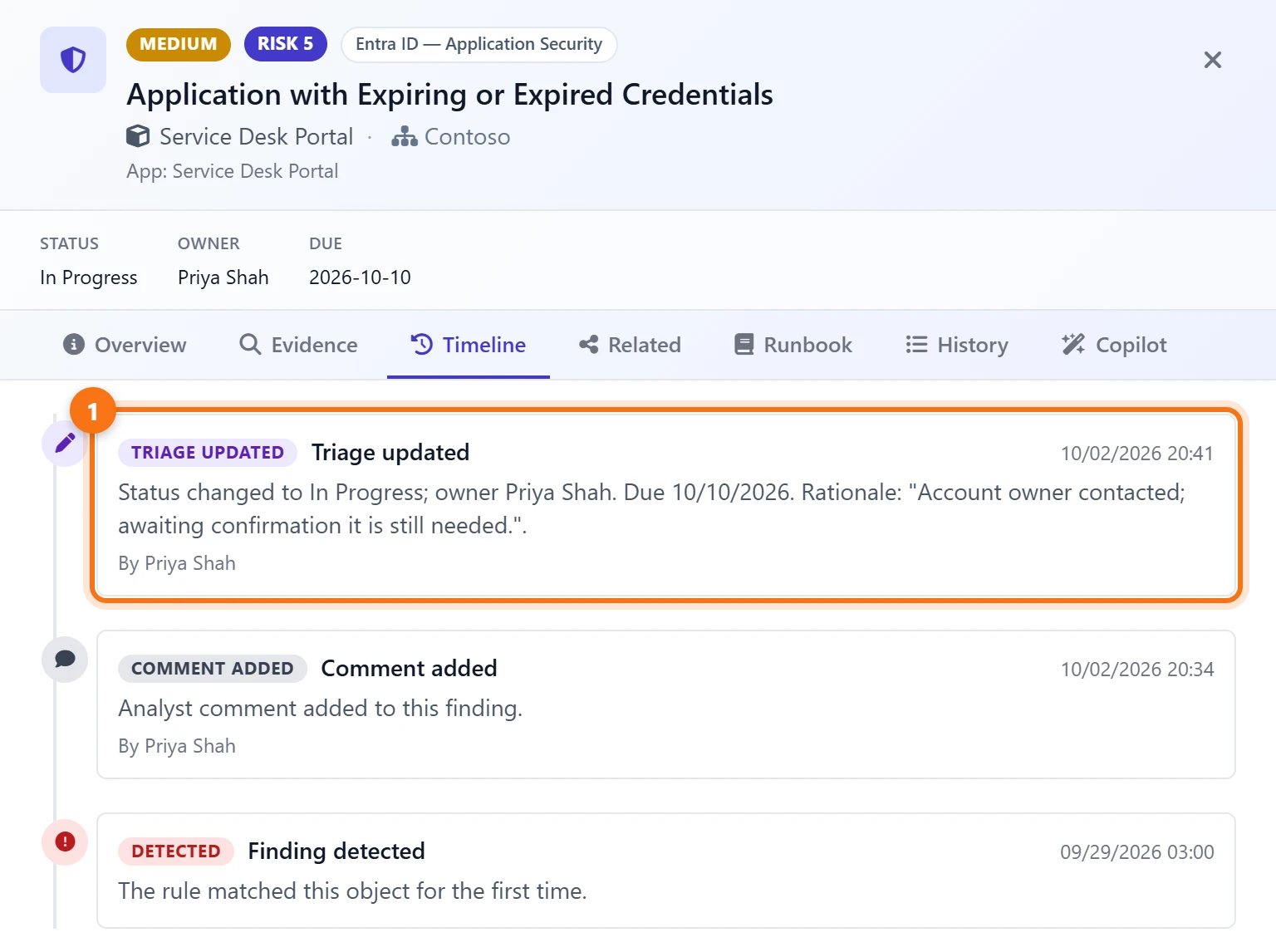
The Timeline keeps every decision about the finding. Here, Priya Shah took ownership on 2 October, set the status to In Progress with a due date of 10 October, and recorded why. Anyone can see who is handling the renewal and by when, without chasing people.
4Follow the runbook
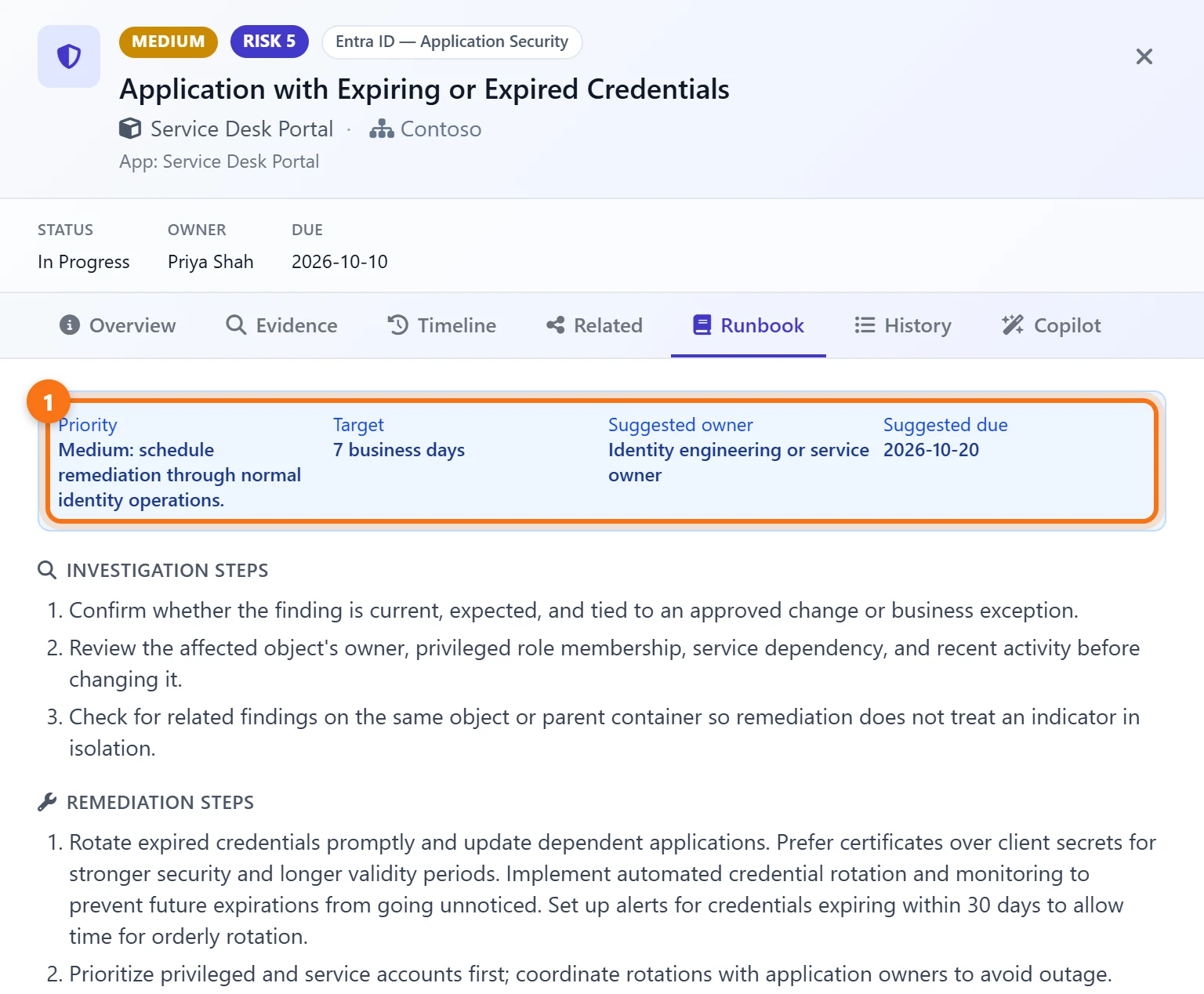
The Runbook suggests a priority, a target time, an owner and a due date, followed by investigation and remediation steps, such as preferring certificates over client secrets and coordinating the rotation with the app's owner so nothing breaks.
See who has been changing app credentials
5Search the audit trail
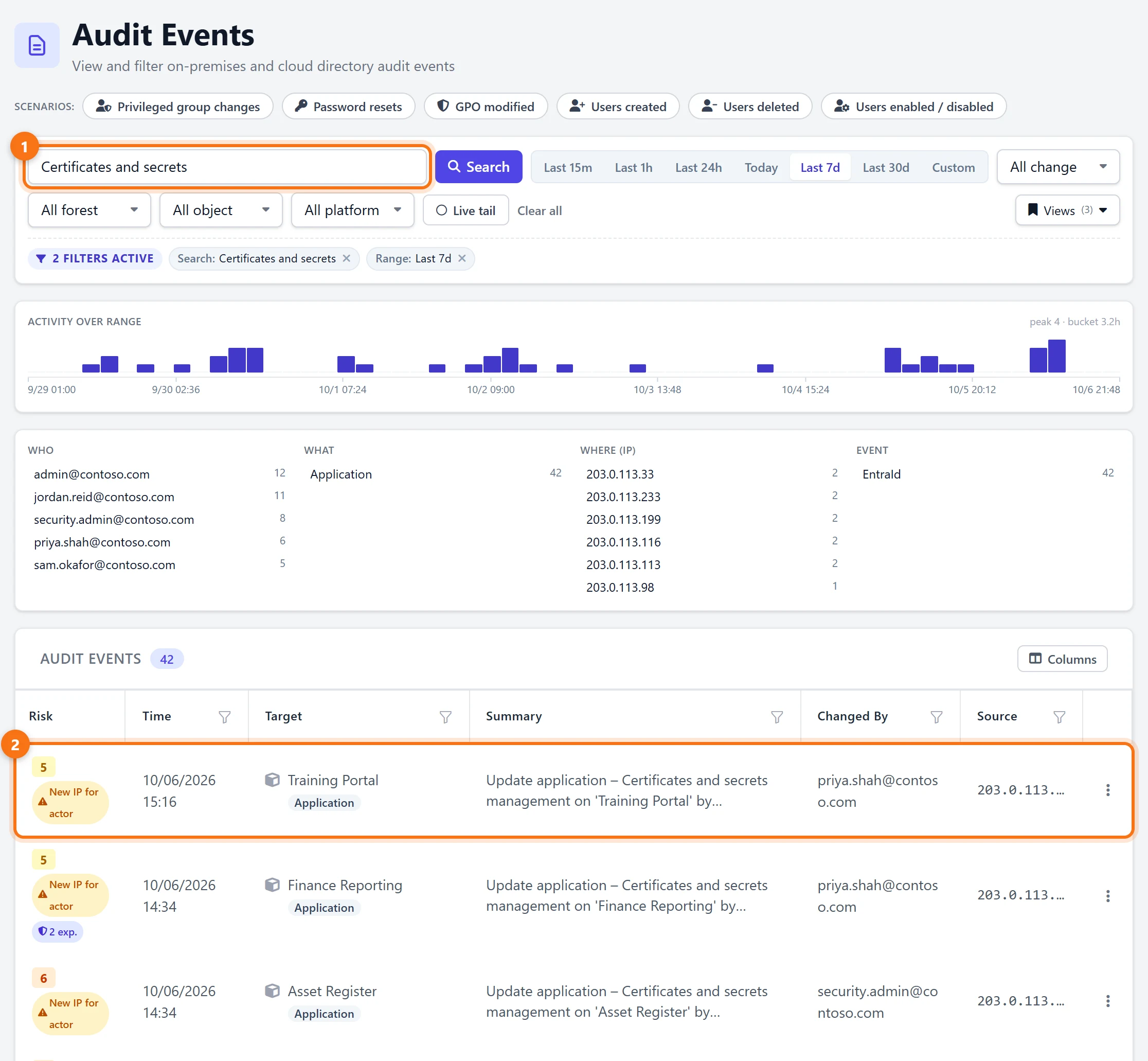
In Audit Events, search for Certificates and secrets to list every Entra ID credential change: which app, who made the change and the IP address it came from. In the demo there are 42 changes in the past week, and the panels above the list show at a glance who made most of them. Once collected, these events stay in Active Identity Guardian for as long as you choose to keep them, not just 7 or 30 days.
Get alerted before it expires
6Send new findings to email or Teams
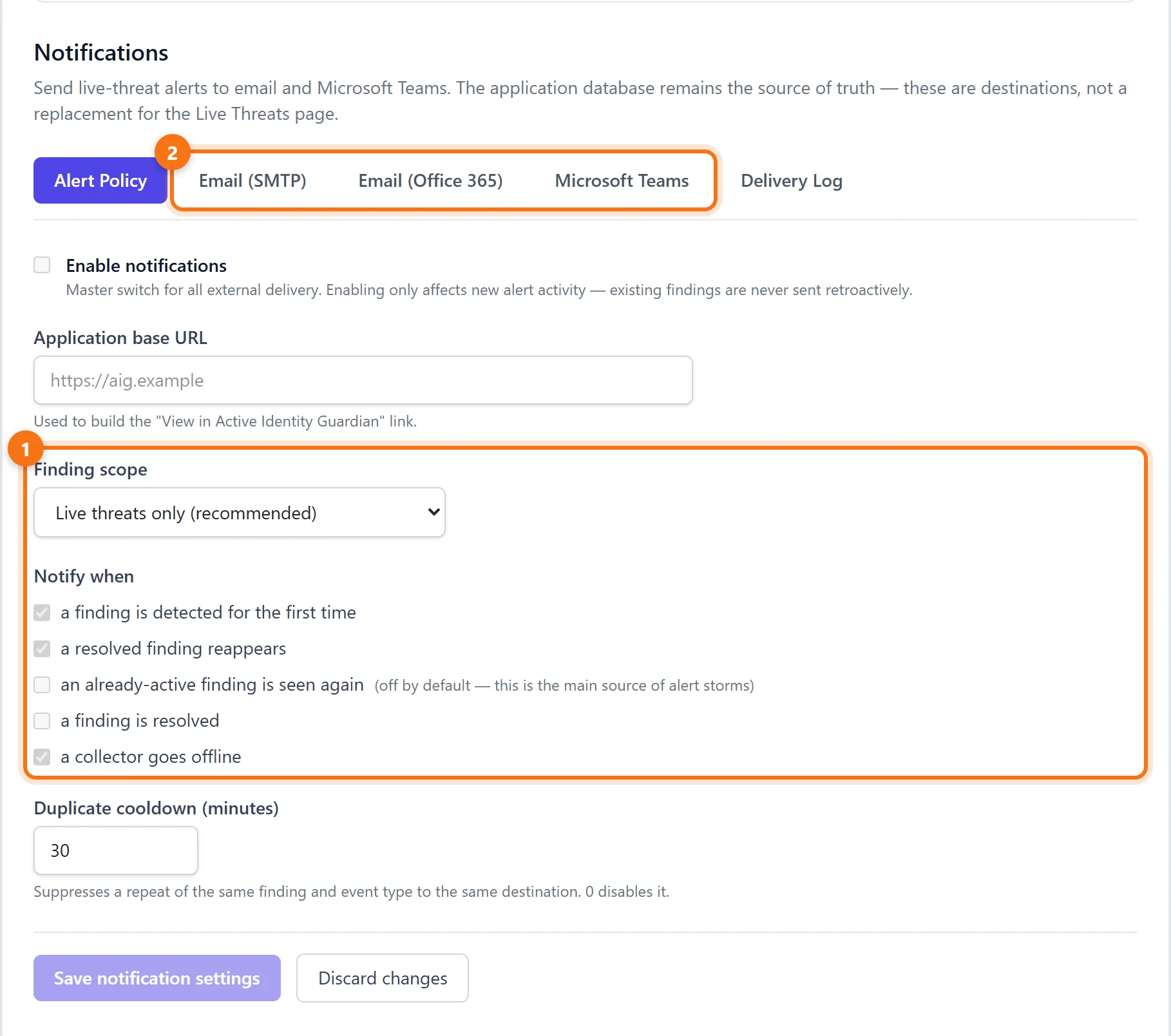
Under Settings > Notifications, findings can be sent to email (SMTP or Office 365) and Microsoft Teams. Set the finding scope to All findings and keep a finding is detected for the first time ticked. Because the rule flags a credential up to 30 days before it expires, the alert arrives with time to rotate it, not on the morning it breaks.
What to do next
- Rotate before the date. Add the new secret or certificate, update the application to use it, check that it works, and only then remove the old one.
- Prefer certificates over client secrets. For apps running in Azure, a managed identity removes the secret altogether.
- Give every app an owner. An expiry warning is only useful if it reaches someone who can act on it.
- Remove what nobody uses. An expiring secret on an app that is no longer needed is a good moment to retire the app instead of renewing it.
Summary
- Entra ID's built-in expiry warning is a preview recommendation with a fixed 30-day window, and its emails go to a role, not to the app's owner.
- Active Identity Guardian raises an exposure for every app with a secret or certificate that has expired or expires within 30 days, with the date, an owner, a due date and a runbook.
- Every credential change is kept with who made it and from where, and notifications send new findings to email or Microsoft Teams.
Try it yourself
Everything above comes from the Active Identity Guardian demo, which runs on synthetic data and is read-only. Open the same view and click through it, with no sign-up.
Written by